WiVerify

Verify Shopify Shipping Addresses Before Fulfillment

WiVerify checks the shipping address on your Shopify orders against USPS-backed address data, flags addresses that are incomplete or undeliverable, and suggests a standardized correction you can review and apply from the order page – before the order is picked and packed.

Shopify app from the makers of WiScanner · Verifies US shipping addresses

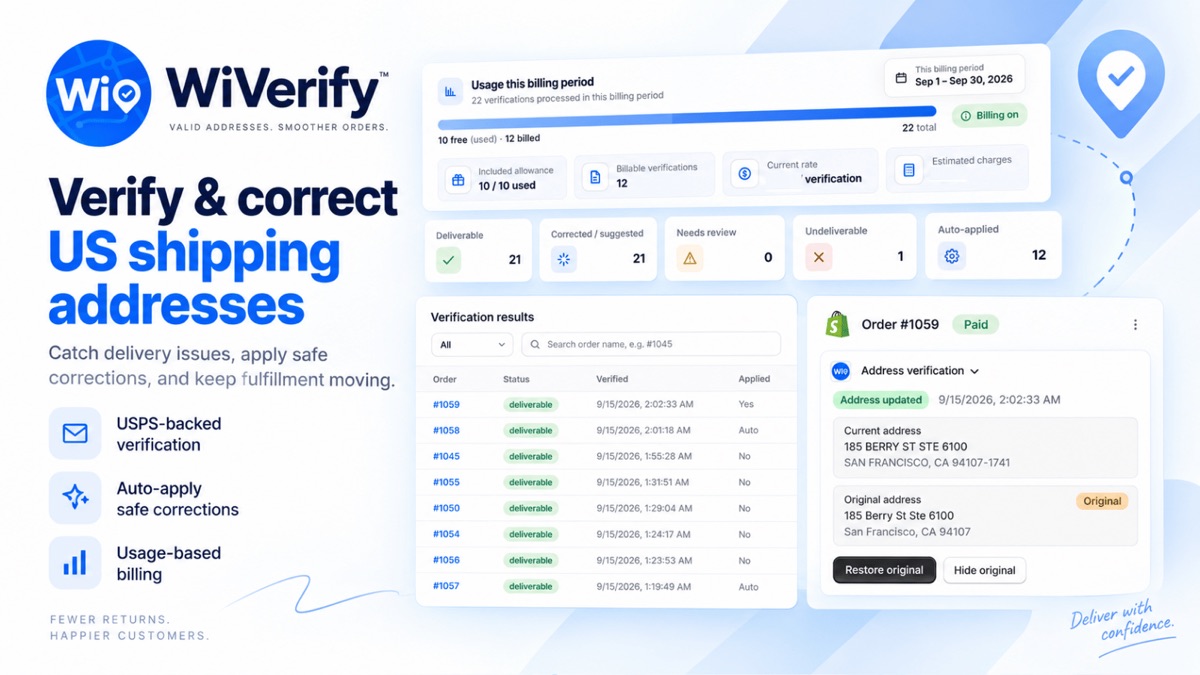
WiVerify in the Shopify admin: verification results list, status summary and the Address verification block on an order

Address problems show up after the parcel has shipped

A shipping address can look fine on the order and still be wrong for the carrier. By the time the problem appears, the label is printed and the parcel may already be on its way back.

Missing apartment or unit
The street address is right but the suite, unit or apartment number is missing or incorrect.

Invalid postal information
ZIP codes that do not match the street and city, or are not valid at all.
Undeliverable addresses
Addresses that USPS-backed data does not recognise as deliverable.
Late corrections
Once a label is printed, fixing an address means reprinting, contacting the carrier or reshipping.

How WiVerify works

1
Order is created
When a Shopify order comes in, WiVerify picks up its shipping address for verification.
2
Address is checked
US addresses are verified with USPS-backed address verification from Lob.
3
Result on the order
The Address verification block on the order page shows the status – for example deliverable, missing unit, incorrect unit or undeliverable.
4
Review and correct
Apply the suggested correction, or let WiVerify apply safe corrections automatically if you turned that on. The original address stays available to restore.
5
Continue to fulfillment
The order moves on to picking and packing with an address you have checked.

See each result where you work

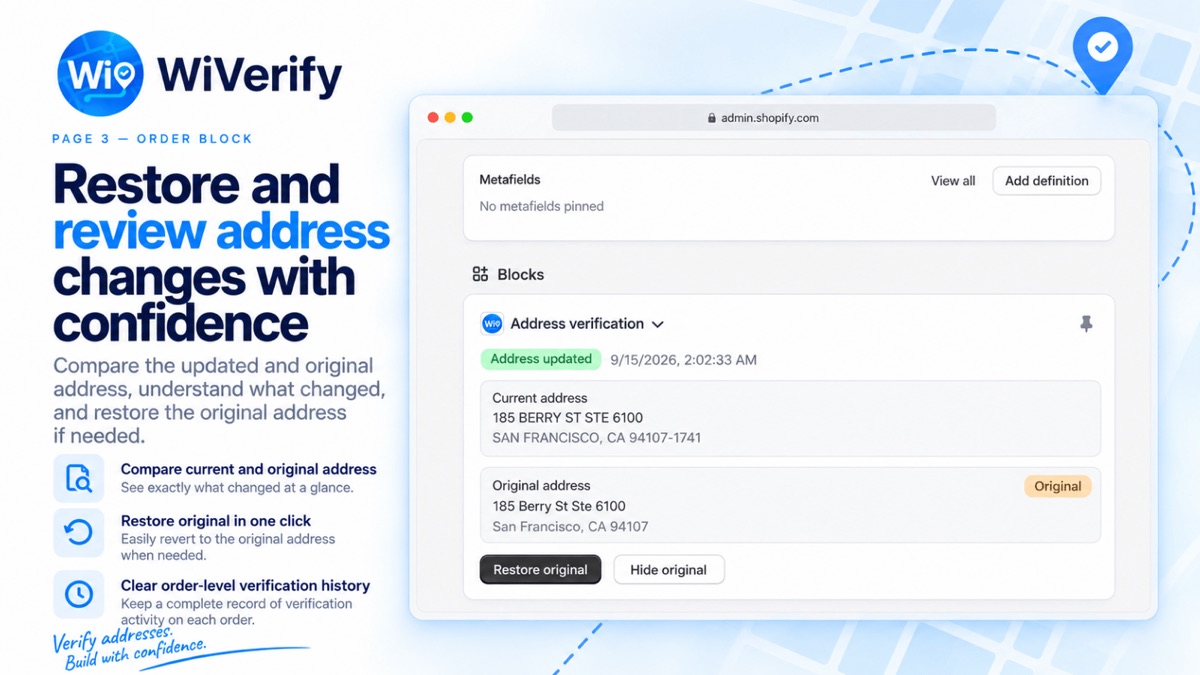
WiVerify Address verification block on a Shopify order comparing the current and original address with a Restore original button
The Address verification block on a Shopify order: current and original address, with restore.
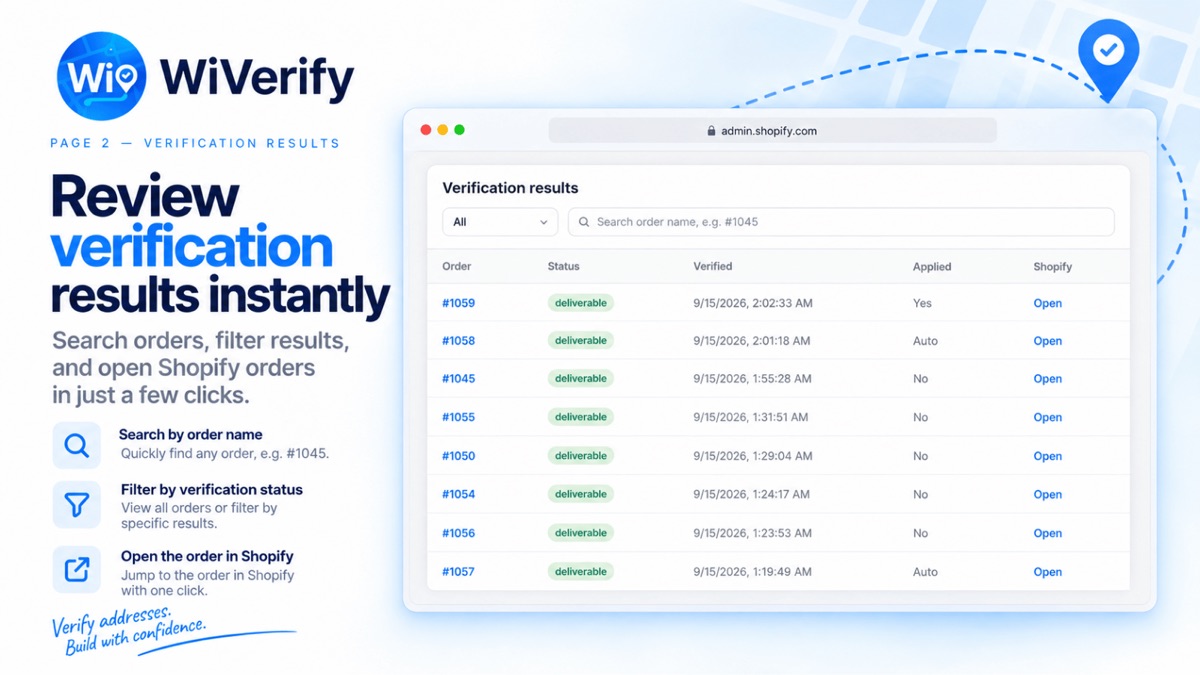
WiVerify verification results list with order number, status, verification time and whether a correction was applied
Verification results: search by order name, filter by status and open the order in Shopify.

What WiVerify does

US address verification
USPS-backed verification of US shipping addresses on Shopify orders.
Order-level status
Each order shows its verification status and when it was last checked.
Suggested corrections
Standardized address suggestions you can apply from the order page.
Optional automatic updates
Turn on automatic updates to apply safe corrections without a manual step. It is off until you enable it.
Compare and restore
See the current and original address side by side and restore the original with one click.
Verification results
A list of verified orders you can search by order name and filter by status.
Verify again
Run verification again from the order page after an address is edited.
Address only
WiVerify works on the shipping address and does not change other order data.

Why verify addresses before fulfillment?

The cheapest moment to fix an address is before anything physical happens. While the order is still open, a missing unit number is a quick edit on the order page. After the label is printed, the same problem means voiding the label, contacting the carrier or waiting for the parcel to come back.

Checking addresses as orders arrive also gives your team a clear signal: orders marked deliverable can go straight to picking, and the few that need attention are visible on the order before anyone packs them.

Scope and pricing

United States only
WiVerify verifies US shipping addresses. Orders shipping to other countries are not checked.
Runs in Shopify admin
WiVerify is installed from the Shopify App Store and works inside your Shopify admin.
Usage-based pricing
Free to install, with usage charges per verification. See the App Store listing for current pricing.

WiVerify questions

US shipping addresses on Shopify orders. Addresses in other countries are marked as unsupported and are not sent for verification.

Only if you turn on automatic updates, and then only for safe corrections. Otherwise you review the suggested correction on the order page and decide whether to apply it. The original address is kept and can be restored.

No. WiVerify works on the shipping address and leaves other order data unchanged.

No. WiVerify checks the address against USPS-backed address data before you ship. Delivery itself still depends on the carrier and the recipient.

Yes. You can run verification again from the Address verification block on the order page.

No. WiVerify is a separate Shopify app from the makers of WiScanner, installed and billed through the Shopify App Store.

Check addresses before your next order ships

Install WiVerify from the Shopify App Store and verify US shipping addresses on new orders.

All Shopify apps →