WiCartonize

Smart Cartonization for Shopify Orders

WiCartonize recommends the boxes to use for each Shopify order based on your product dimensions and weights, your box library and your packing rules. Review the packing plan on the order page, then turn it into full or partial Shopify fulfillments.

Shopify app from the makers of WiScanner · Free plan available

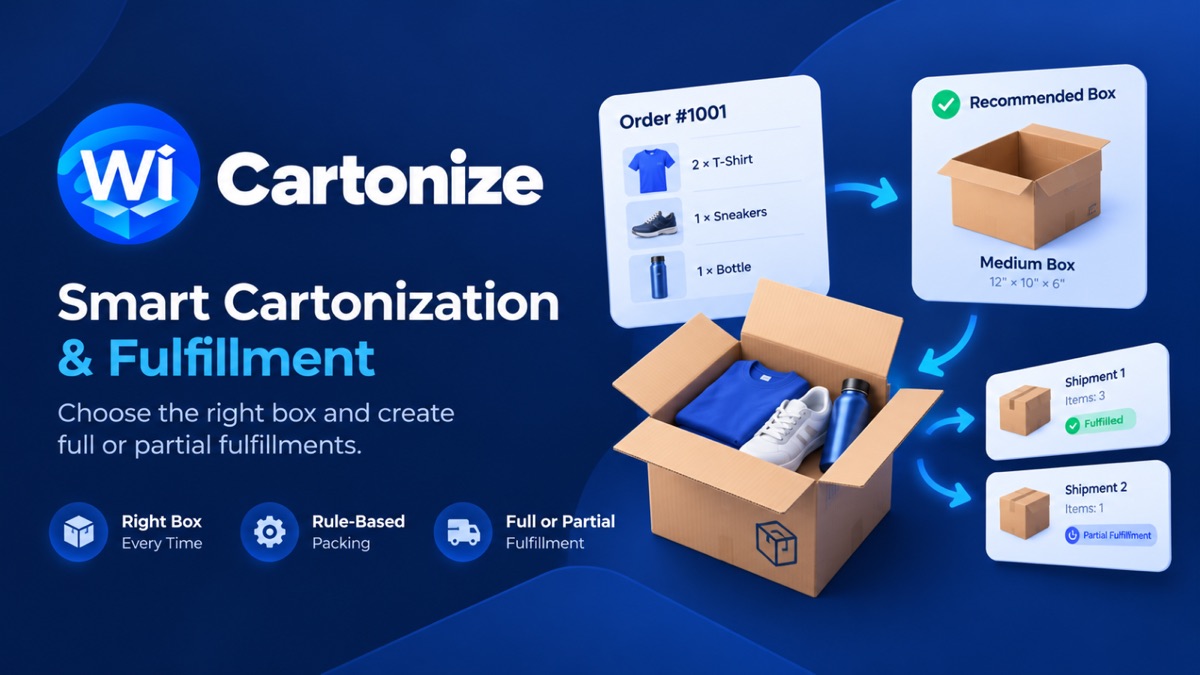
WiCartonize overview: an order with three items, the recommended box and two shipments, one fulfilled and one partial

Choosing boxes by eye gets harder with every item

With one product and one box size, packing is simple. Add more products, more box sizes and multi-item orders, and every packer makes a slightly different call.

Manual carton selection
Packers guess which box will fit, try one, and sometimes start again with the next size.

Oversized packaging
When in doubt, a bigger box gets used – with more empty space to fill.
Split shipments
Orders that need more than one box have to be divided by hand, and fulfilled in parts.
Many items, many sizes
Mixed orders with items that must ship alone or stay upright add rules to remember.

How WiCartonize works

1
Product dimensions and weights
Add length, width, height and weight to your products. The dashboard shows which products are still missing data.
2
Available boxes
Build your box library with inner dimensions, maximum weight and cost.
3
Packing rules
Set a strategy and IF/THEN rules – for example which items ship alone – plus limits such as the maximum number of boxes.
4
Carton recommendation
Each order gets a packing plan: the boxes to use, which items go in each and how full each box is.
5
Review
Check the plan on the order page and open the 3D preview when you want to see how items are placed.
6
Full or partial fulfillment
Create Shopify fulfillments from the plan – for the whole order or for part of it.

From packing plan to fulfillment

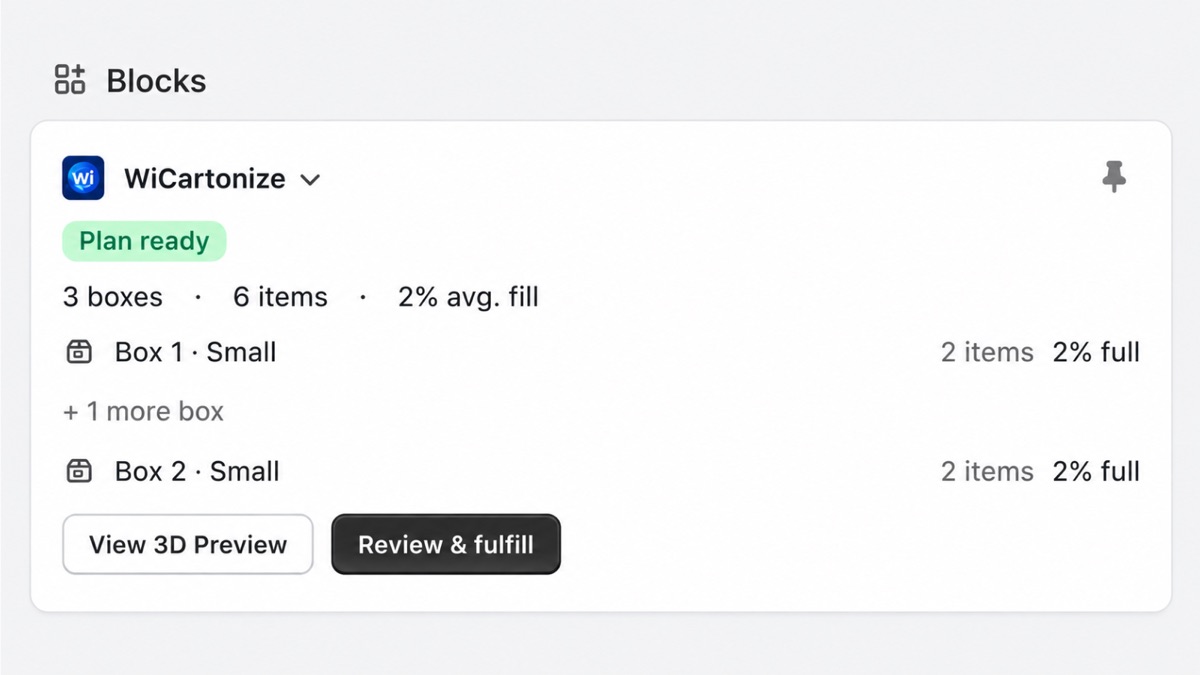
WiCartonize block on a Shopify order showing a ready packing plan with boxes, items and fill, plus View 3D Preview and Review and fulfill buttons
The WiCartonize block on a Shopify order with the packing plan.
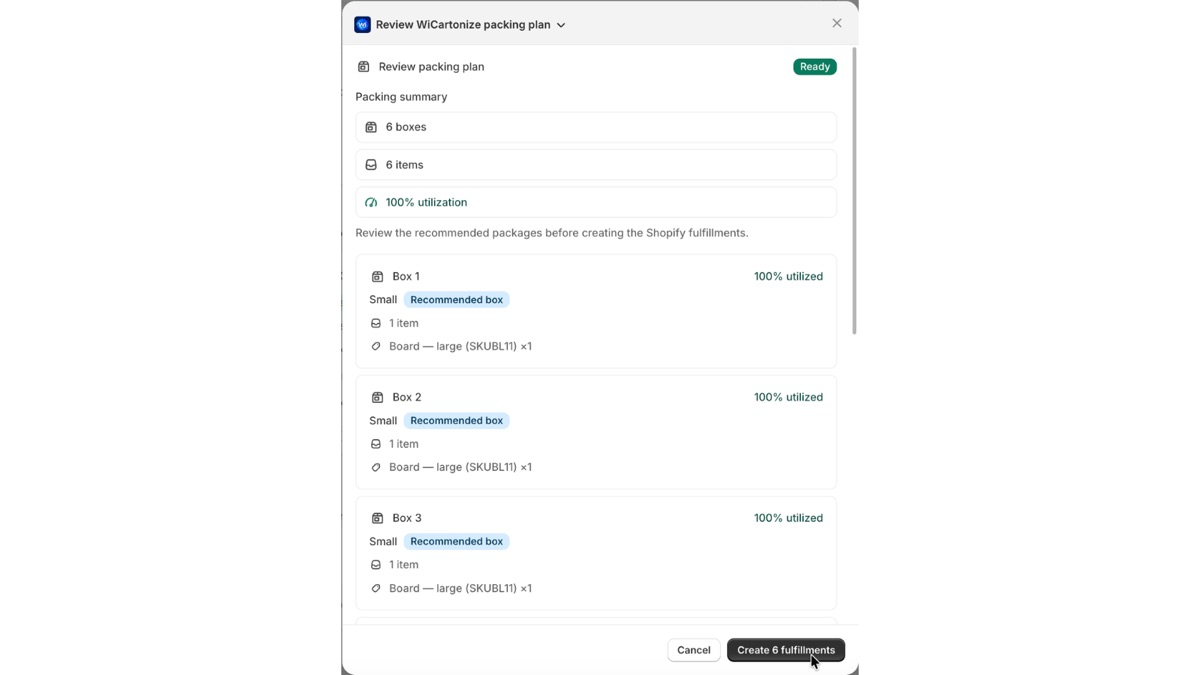
WiCartonize review packing plan dialog listing recommended boxes and items before creating Shopify fulfillments
Review the recommended boxes before creating fulfillments.
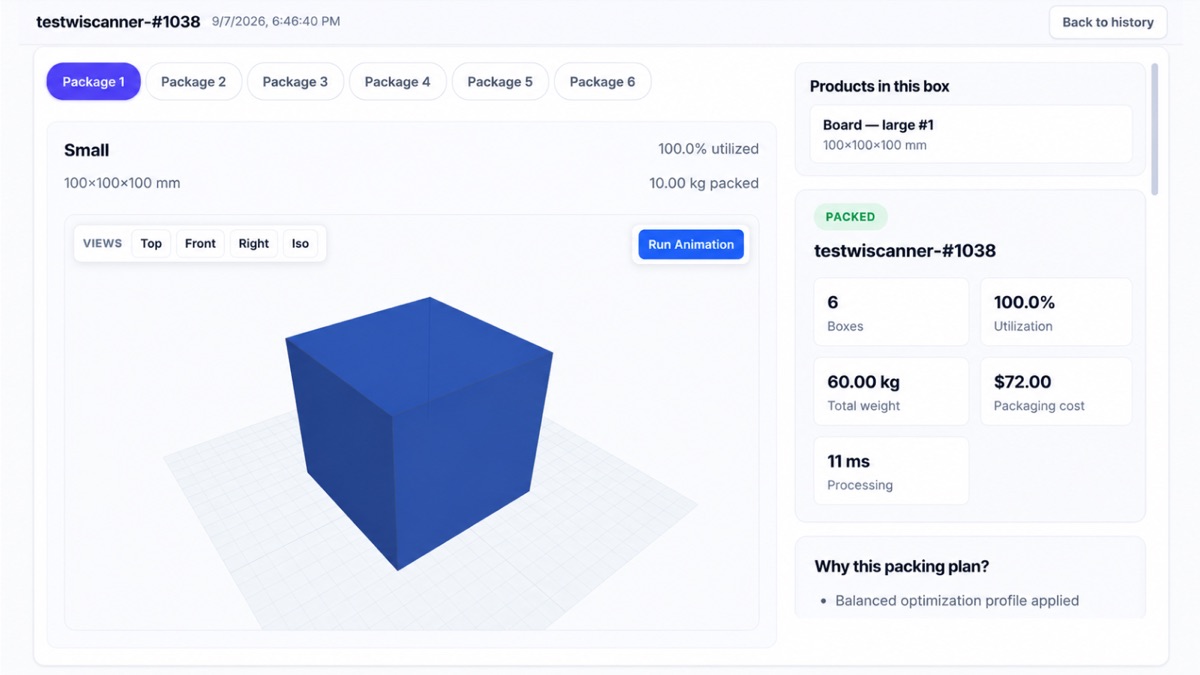
WiCartonize 3D packing preview of a package with utilization, weight and a packing plan explanation
3D preview of each package, with the reasons behind the plan.
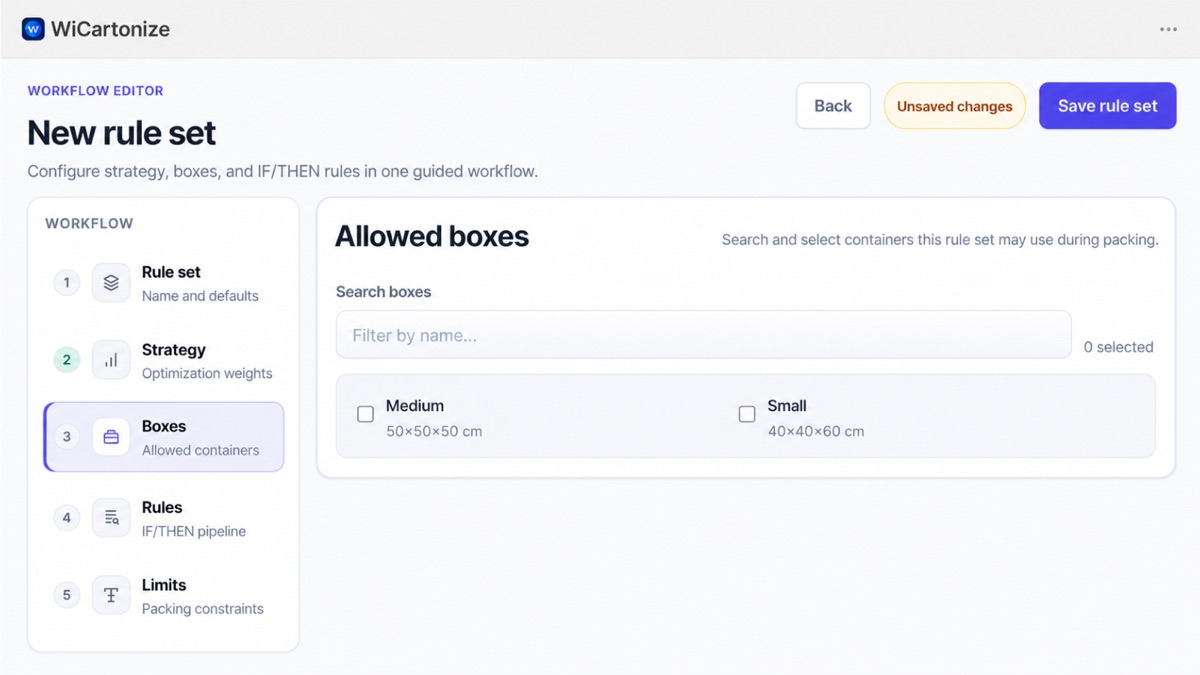
WiCartonize rule set editor with steps for strategy, allowed boxes, IF/THEN rules and limits
Rule sets: strategy, allowed boxes, IF/THEN rules and limits.

What WiCartonize does

Carton recommendations
A recommended box, or set of boxes, for each Shopify order.
Product dimensions and weights
Packing uses the size and weight of every item in the order.
Box definitions
Your own box library with inner dimensions, maximum weight and cost.
Packing rules
IF/THEN rules by product or order, such as items that must ship alone.
Packing visualization
A 3D preview of each package and an explanation of why the plan was chosen.
Full fulfillment
Fulfill the whole order from the packing result.
Partial fulfillment
Create partial fulfillments, including several for the same order.

What changes on the packing table

More consistent box selection
The same order gets the same recommendation, whoever is packing.
Simpler packing decisions
Packers follow the plan instead of trying boxes until one fits.
Easier multi-item orders
The plan shows which items go in which box when an order needs more than one.
Structured fulfillment
Packing results become Shopify fulfillments in the same flow.

Scope and pricing

No carrier rate shopping
Box selection is based on dimensions, weights, boxes and rules. WiCartonize does not compare carrier rates.
Runs in Shopify admin
WiCartonize is installed from the Shopify App Store and works inside your Shopify admin.
Free plan available
Paid plans add higher monthly order limits. See the App Store listing for current plans.

WiCartonize questions

Dimensions and weights for your products and a library of the boxes you ship in. An order can be packed once all of its fulfillable items have dimensions and weight.

Yes. When the items do not fit one box, or your rules require it, the packing plan uses several boxes and shows which items go in each.

Yes. You can create full or partial Shopify fulfillments from the packing result, including several partial fulfillments for the same order.

No. Box selection is based on item dimensions, weights, your boxes, rules and strategy. Carrier rate shopping is not part of WiCartonize.

Yes. Rule sets combine a strategy, the boxes that may be used, IF/THEN packing rules and limits such as the maximum number of boxes.

No. WiCartonize is a separate Shopify app from the makers of WiScanner, installed and billed through the Shopify App Store.

Pack your next Shopify order with a plan

Install WiCartonize from the Shopify App Store, add your boxes and get a packing plan for each order.

All Shopify apps →