Export (CSV, Google Drive, FTP, Webhook)
Export the data of a single group as a CSV file or send it directly to one of your integrations (Google Drive, FTP/FTPS, Webhook). This page explains how to open the export menu and choose the export method.
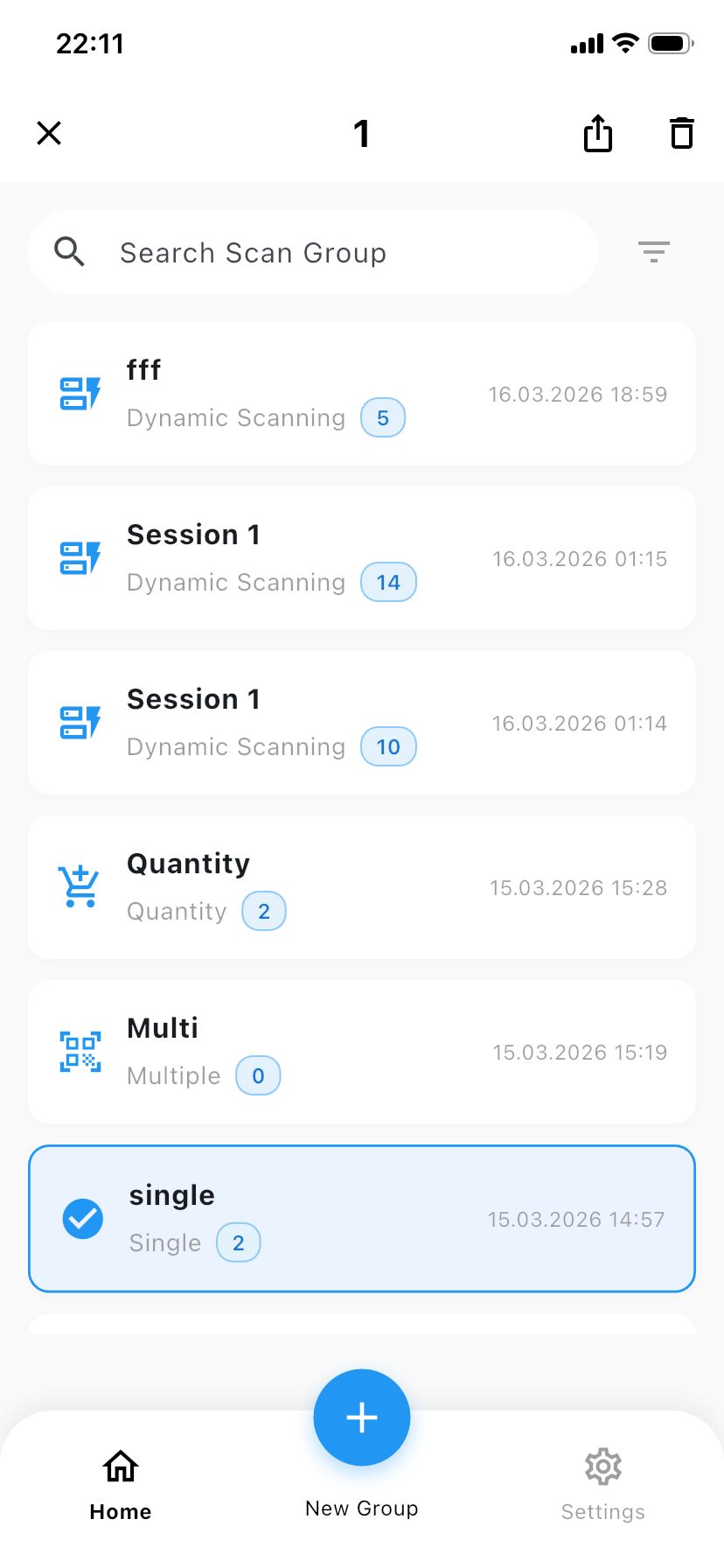
1. Long‑press a group to open the share button
On the main screen of the WiScanner app, you will see the list of your groups. Find the group whose data you want to export and press and hold on the group name.
After a short moment, a share / export button appears in the top‑right corner of the screen.
2. Choose an export method
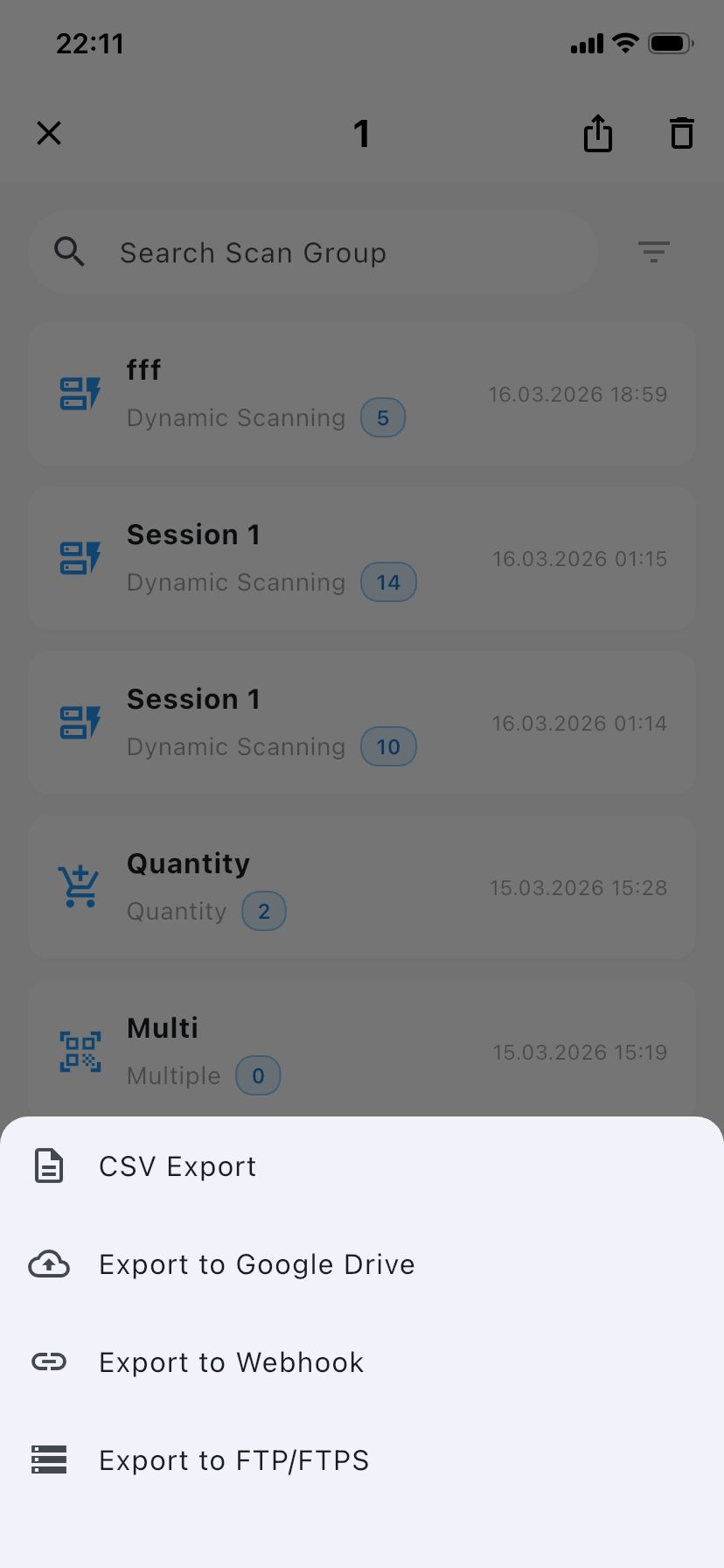
Tap the share button to open the Export menu. Here you can choose how to export the group data:
- CSV: Generate a CSV file that can be opened in Excel or other spreadsheet tools.
- Google Drive: Send the export to your configured Google Drive integration.
- FTP/FTPS: Upload the export to your configured FTP/FTPS server.
- Webhook: Send the export through your configured Webhook endpoint.
The available options depend on which integrations you have already configured in Settings > Integration. For example, to use FTP/FTPS or Webhook here, make sure you first set them up in the Integration section.